Stakeholder Communication
The Stakeholder Communication feature lets you notify stakeholders about a release topic by email directly from the release topic details screen. You can share the release topic details—including dates, status, and a direct link—along with a custom message.
Overview
- Where: Release topic details page (actions menu)
- What: Send an email to a stakeholder with a custom message and a formatted summary of the release topic
- How: Notifications are sent asynchronously; the UI does not wait for the email to be delivered
How to Use
1. Open the release topic details
Open any release topic (e.g. from the release topics list or via a shared link). You’ll see the topic title, description, reference ID, assignee, status, and tabs for Release Commitment, Details, and Milestones.
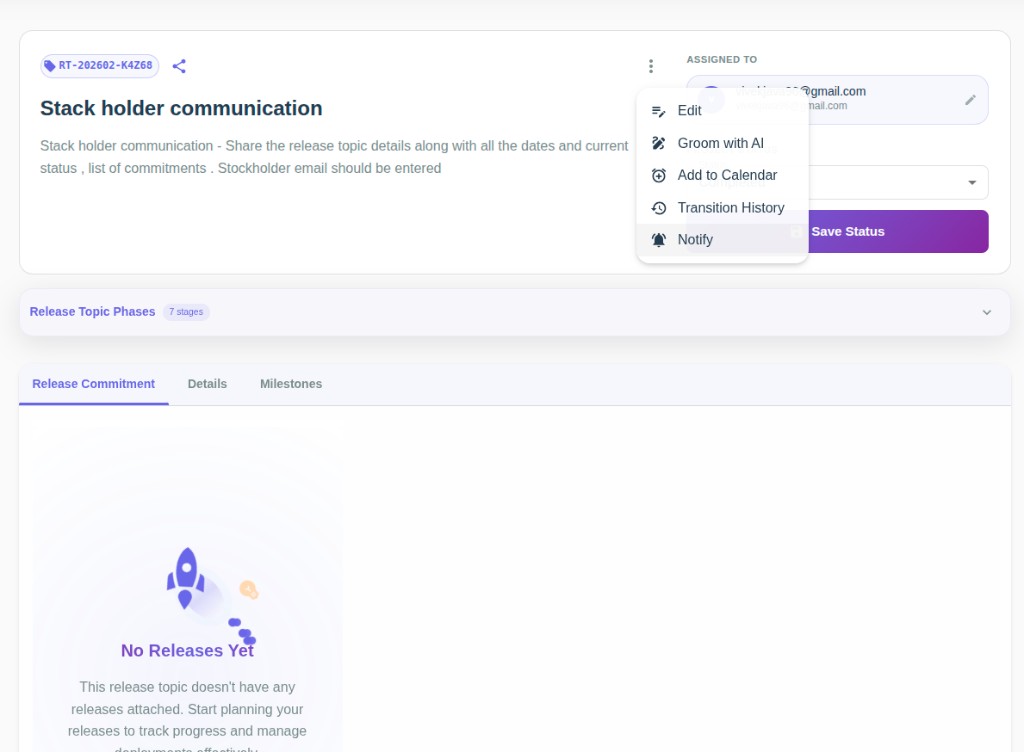
2. Open the Notify stakeholder modal
- Click the three-dot menu (⋮) next to the topic header.
- Choose Notify from the menu (alongside Edit, Groom with AI, Add to Calendar, Transition History).
3. Fill in the form and send
- Stakeholder email: Enter the recipient’s email address.
- Message: Enter the body of the notification (e.g. context or instructions for the stakeholder).
- Click Send.
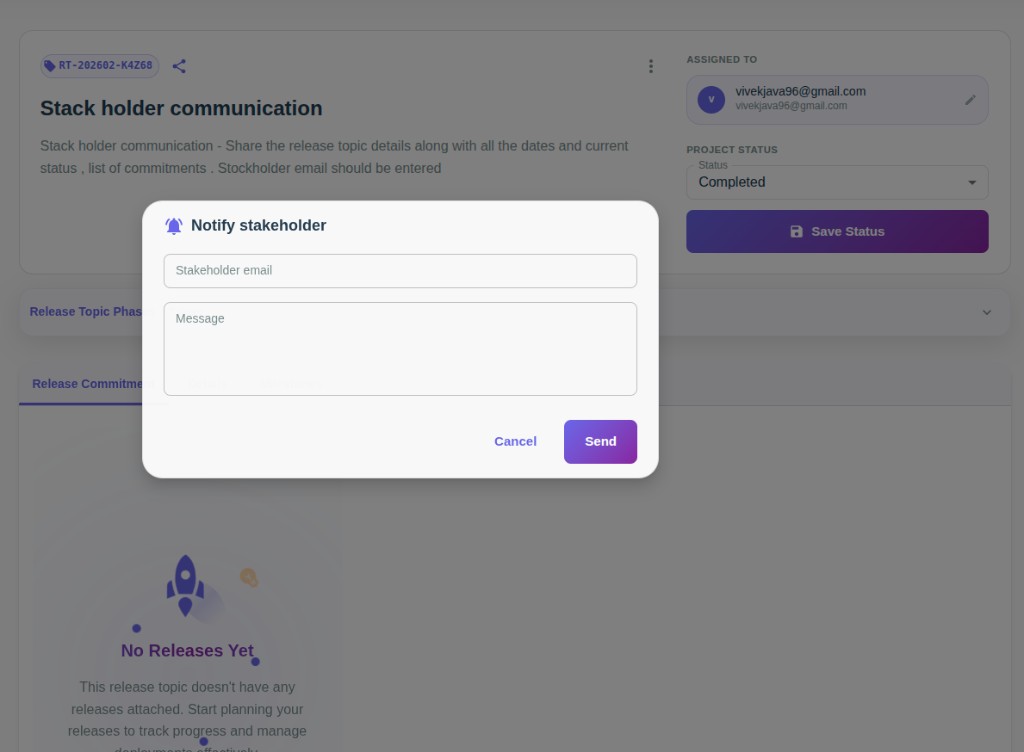
After you click Send, the request is queued and the modal closes. A success message confirms that the notification was queued. The email is sent in the background; delivery status is recorded for observability.
What the stakeholder receives
The email includes:
- Your message – The text you entered in the “Message” field.
- Release topic summary – Name, status, priority, reference ID, description (if present), planned release date, grooming end date, assignee (if present).
- Dev dates, QA dates, Release date – Shown when available; otherwise marked as NA.
- Release topic link – A “View in Release Pilot” link to the topic (when the link is provided from the UI). If no link is available, the field shows NA.
The email uses a light theme so branding and logos remain clearly visible.
Related
- Release Planning – Plan and track release topics
- Releases – Attach and manage releases